
Connectivity
Connectivity that fits the plant you have.
Get data off the floor the way that suits each machine: a collector we send you, a direct connection, or entry by hand. Put the shift on the screens you already have. Run beside your systems, or take the whole stack from us.
Ways to collect
More than one way to get data off the floor.
Each machine on a line can send its data its own way, and every way ends up on the same screens.
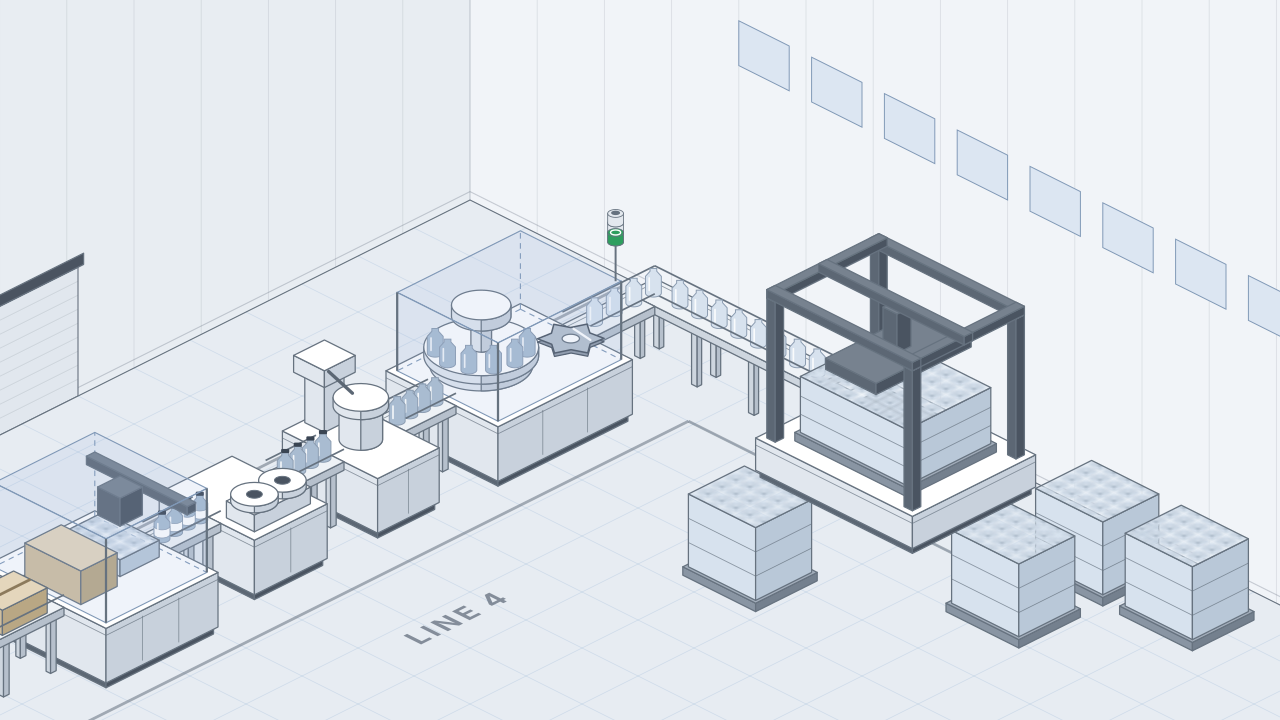
Drawing: Line 4, from the depalletizer through the filler, capper and labeler to the case packer. The filler, capper and labeler each have a small black Plant Toolbox collector on the conveyor feeding them, sending a signal up; the depalletizer and the case packer send their own signals up from their controls.
Line 4 · two ways in, one line
- Plant Toolbox collector on the filler, capper and labeler
- The machine's own PLC on the depalletizer and case packer
Drawing: a tablet on a post beside the capper. Its path runs over your network to Plant Toolbox, then up to the Line 4 Remote Display.
- Capper · its PLC unchanged
- Tablet
- Your network
- Plant Toolbox
- Line 4 Remote Display
You need a browser or a tablet.
Drawing: a sensor just after the capper's exit, wired to a collector beside the machine. The collector's path runs over your network to Plant Toolbox, then up to the Line 4 Remote Display. The PLC is unchanged.
- Capper · its PLC unchanged
- Collector
- Your network
- Plant Toolbox
- Line 4 Remote Display
You need a place to mount it, power, and your plant Wi-Fi details.
Drawing: the capper's PLC, highlighted, linked to a middleware server with a tag map. The middleware's path runs to Plant Toolbox, then up to the Line 4 Remote Display.
- Capper · its PLC
- Middleware · tag map
- Plant Toolbox
- Line 4 Remote Display
You need machines whose PLCs can share their data, middleware on your network, a tag map per unit op, and someone who knows the PLC program.
Three unit ops send their counts from a collector; two send their own PLC tags. The Production Dashboard looks the same either way.
Collectors
Count the machines you run. Leave their controls alone.
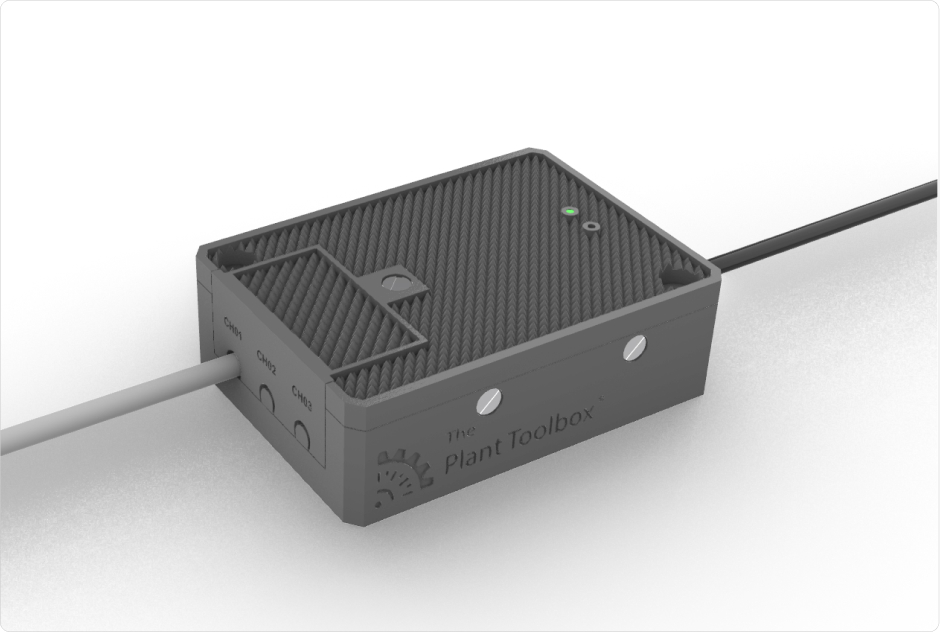
A Plant Toolbox collector mounts beside the machine with its own sensor. Nothing is wired into the PLC or the HMI, and the machine's program stays as it is, so you don't have to upgrade a control system, or add a historian or SCADA, to start collecting. It works on older machines, and on machines with no PLC program to read.
- OEE
- 71%
- Off target
Line 4
- Capper · Line 4
- PLC · HMI · programUnchanged
- 24 V sensor · just after the exit
- Plant Toolbox collector · CH01–CH03Own power · Online Active
- Plant Wi-Fi
- AWS IoT Core · your own machine-data table
- Counts read about every 10 s
- Line 4 Remote Display · Realtime Results
Beside the machine, not inside it
The standard install: a 24-volt sensor just after the machine's exit, wired to the collector. The collector is fixed beside the machine with adhesive or M4 screws and plugged into its own power. Nothing connects to the PLC or the HMI.
- It reads Counts, rate and run state, from up to three inputs on each collector.
- It needs A place to mount it, power, and your plant Wi-Fi details.
- It's ready when It shows Online Active in Settings › Devices, mapped to its machine.
Every 5 minutes Plant Toolbox checks its collectors. If fewer than 85% are online, the people you choose get an alert.
What one stop turns into
Filler stops
Its collector stops counting.
Collector · L2
Within about a minute
Plant Toolbox opens a downtime event, and Chase Logic names the Filler, not the machines it starved.
Chase Logic
At the line
The stop shows on the Line Remote Display. The operator codes it on the Production Dashboard: Bottle infeed › Jam. Past the limit you set, it becomes RCA #219 and action #4190 on Line 4's plan.
Production DashboardAction Planning
Remote Displays
Put the shift on the screens you have.
A TV, monitor or tablet with a modern browser becomes a Plant Toolbox board. Where there's no screen yet, we can put new ones up over the line. Each screen shows one board for its line, department, plant or site, and never holds a person's password.
A board for every screen
Keyboard: use the arrow keys to step through the boards.
Need a different board?
We can build a custom board around your lines, measures and layout, for an additional cost.
Ask about a custom boardEach board refreshes every 30 seconds
Show us one line. We'll map the path.
Tell us which machines you want counted, which screens you already have and which systems you run. We'll show you what Plant Toolbox brings and what stays yours.